Stranger Things Style Photo Editing Prompts: Google Gemini’s image creation feels like stepping straight onto a Hollywood film set. Stranger Things is already one of the most iconic and familiar web series worldwide, and now, you can also create an image that looks like same. As your information, it is a newly released season, but it has overpowered the Squad game Season 2.
If you want to create such kind of image, then ready for it. Here, I have elaborated on some top-notch image generation prompts that might blow you away and elevate your creation to a peak level.
You love this: How to Create Car Stunt Reels in 2025
Why Stranger Things–Style AI Images Are Trending
The Stranger Things aesthetic combines mystery, nostalgia, and cinematic drama—three elements that perform extremely well online. The latest season has reignited fan excitement, and creators are now using AI to recreate that iconic look in photos.
These AI-generated images are trending because:
- They feel cinematic and high-budget
- They create an instant emotional connection
- They stand out on Instagram, TikTok, and Threads
- They look like scenes from a Netflix original series
Google Gemini understands lighting, mood, and storytelling exceptionally well, which makes it perfect for this style.
What Makes Google Gemini Feel Like Hollywood
Google Gemini’s image creation doesn’t just generate pictures—it builds scenes. When you describe a setting, lighting, emotion, and camera angle, the AI stitches everything together like a professional film crew would.
Some standout features include:
- Cinematic lighting and shadows
- Ultra-realistic facial expressions
- Movie-style color grading
- Background depth and atmosphere
This is why many creators say using Gemini feels like being on a movie set rather than inside an editing app.
Top Stranger Things–Style AI Image Prompts (Gemini-Optimized)
Below are high-quality prompts inspired by viral trends and creator workflows. You can paste these directly into Google Gemini and adjust details as needed.
Prompt 1
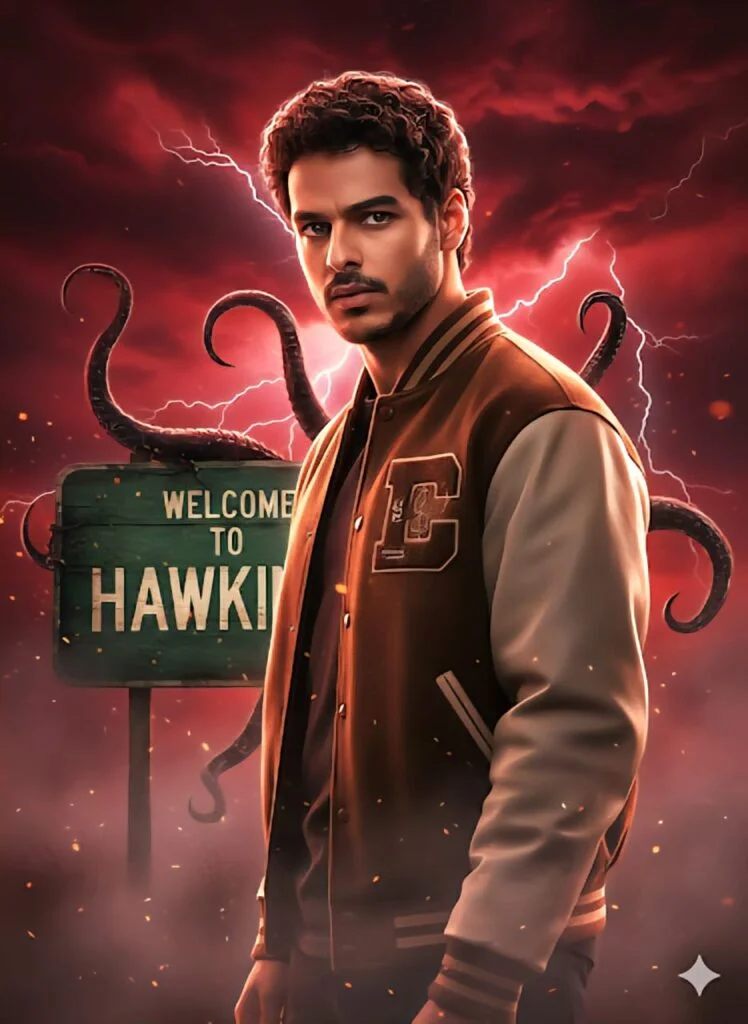
A dramatic, ultra-realistic Strangeï Things-style character portrait. Use the same face as the reference, in-tense stare, wearing a brown-and-white varsity jacket. He stands before an old green WEL- COME TO HAWKINS sign, turning his head toward the camera with a seri- ous, suspicious look. The sky is dark red and stormy with swirling clouds, lightning, fog, and floating particles. Large Demogorgon-like shadow ten-tacles curl around the sign. Strong rim-light from lightning highlights his hair and jacket. Deep reds, blacks, and electric whites; cinematic, super- natural atmosphere; volumetric lighting; poster-style 8K quality
Prompt 2
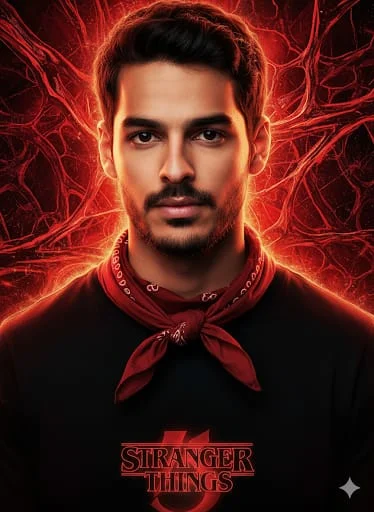
Utiliza la imagen que te adjunto para tomar ios rasgos faciales 100% exactos y crear un retra- to frontal de un joven con expresión seria ymirada determinada. El fondo es un abstractorojo brillante con texturas energéticas y un patrón de líneas que crean una atmósfera in- quietante y sobrenatural, evocando un efecto Upside Down. Iluminación suave pero intensa, con reflejos cálidos que definen los rasgos fa- ciales. Estética de póster cinematográfico de alta calidad, colores negros y rojos predomi-nantes. El modelo lleva ropa casual con paño-leta ajustada al cuello de manera natural, mostrando claramente cómo se envuelve alre- dedor sin deformarse. Añadir logo de Strang- er Things en la parte inferior. Atmósfera épicaque transmite el inicio de una última gran aventura. Mantener la composición, colores y estilo exactamente igual que la referencia. Formato de imagen 4:5.
Prompt 3
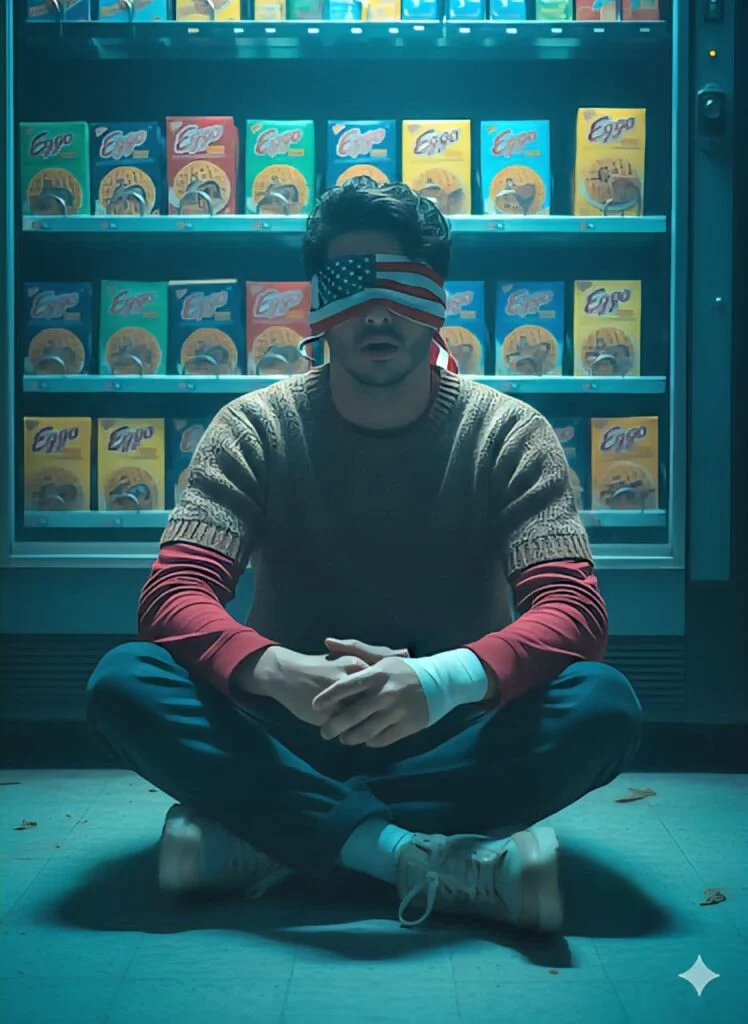
Create a high-quality, realistic photo usingthe reference face exactly (same facial fea- tures, skin tone, proportions). Young male with middle-part wavy dark-brown hair, slightly messy quiff, wearing a USA-flag blindfold, layered casual outfit: red long-sleeve under brown/grey short-sleeve sweater, dark relaxed-fit jeans, light chunky sneakers, white ankle bandage. Sitting on the floor with legs crossed/tucked, looking straight ahead with mouth slightly open. Background: vending machine or counter with neat rows of Eggo-style waffle pack- ages. Dark, cold cinematic atmosphere with dominant blue/turquoise tones, dramatic hyperrealistic film-like style, backlighting casting deep shadows, ’80s Stranger Things retro mood.
Prompt 4
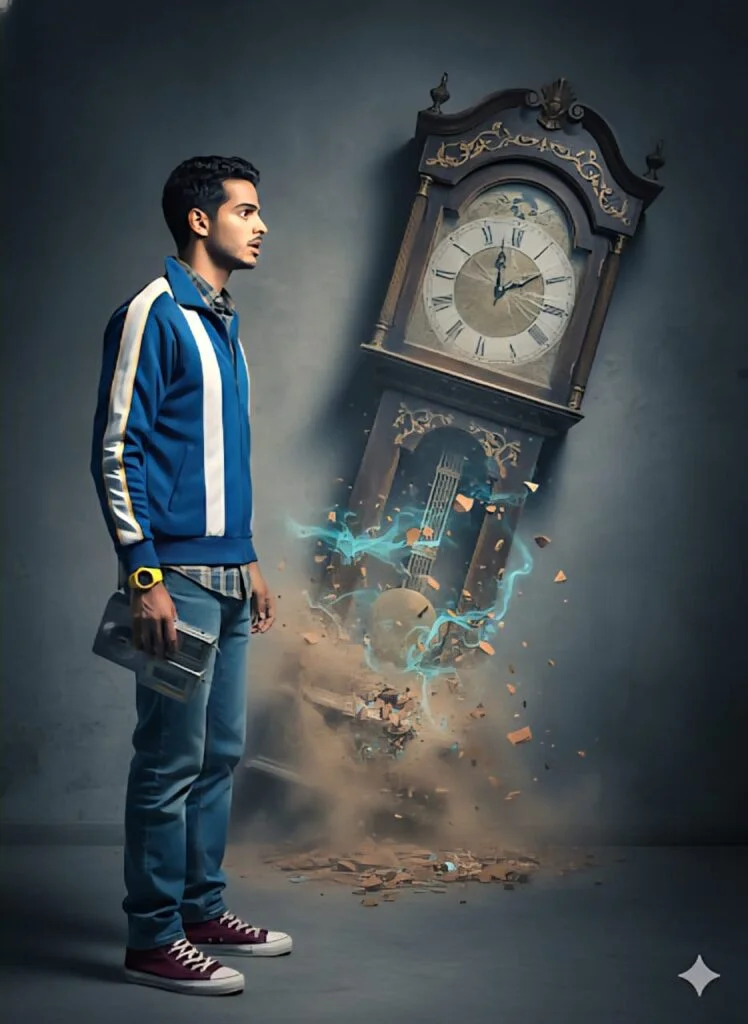
Create a high-quality realistic photo using my exact reference face. Young slim male wearing a blue sports jacket with white center stripe and yellow side stripes, plaid-trimmed shirt, relaxed blue jeans, and burgundy high-top sneakers, with a Discman, Sony Walkman, and yellow wristwatch. Standing in profile, slightly frightened and surprised, looking toward a large, oversized surreal grand- father clock embedded in the wall at a tilted angle-the upper part intact, lower part broken or vanishing into the wall. (gray, terracotta, turquoise, beige). Dark surreal cinematic lighting, hyperrealistic textures, dramatic shadows. No painting, anime, CGI, or illustration.high resolution, professional post-processing.
Prompt 5
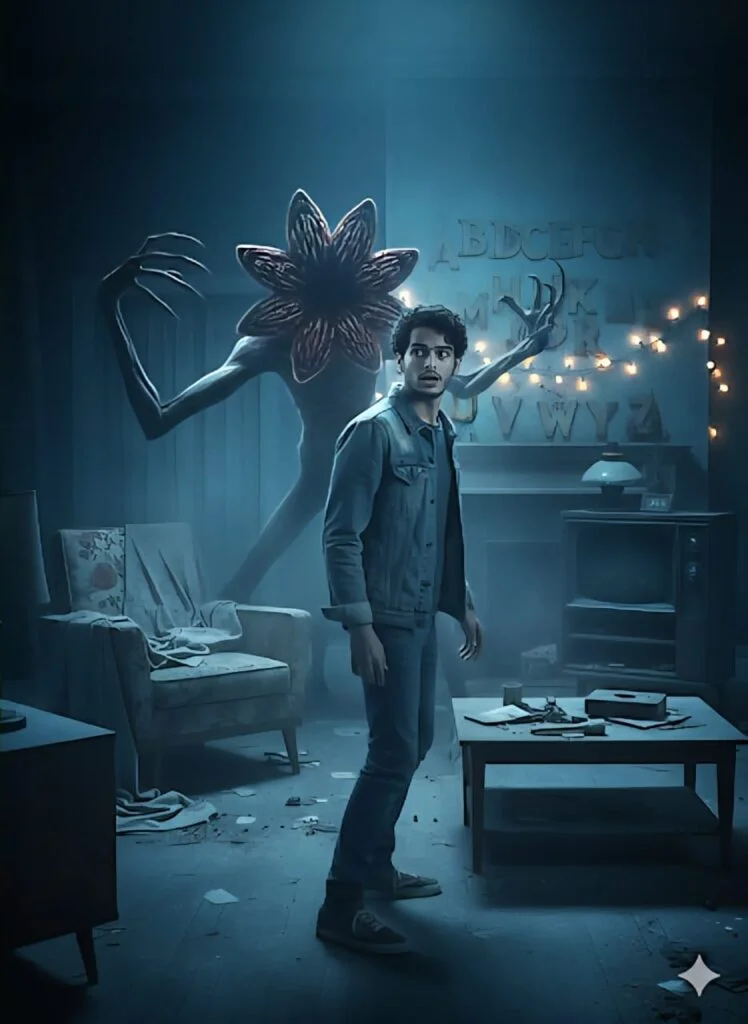
Create a cinematic horror poste using the exact face from the refer- ence – same features and identity. A25-year-old slim male with mid- dle-part wavy hair, in a denim jacket, stands in an abandoned living room, looking over his shoulder with fear. Behind him, a monster with elongated limbs, sharp claws, and a petal-like toothed mouth emerges from the darkness, partially illuminated. The room has retro furniture, dusty floors, glowing Christmas lights over painted alphabet letters, some flickering with eerie reflections. Cold blue atmo- sphere, deep blues and cyans with subtle red highlights, fog, cinematic shadows, hyper-realistic, no text.
Prompt 6
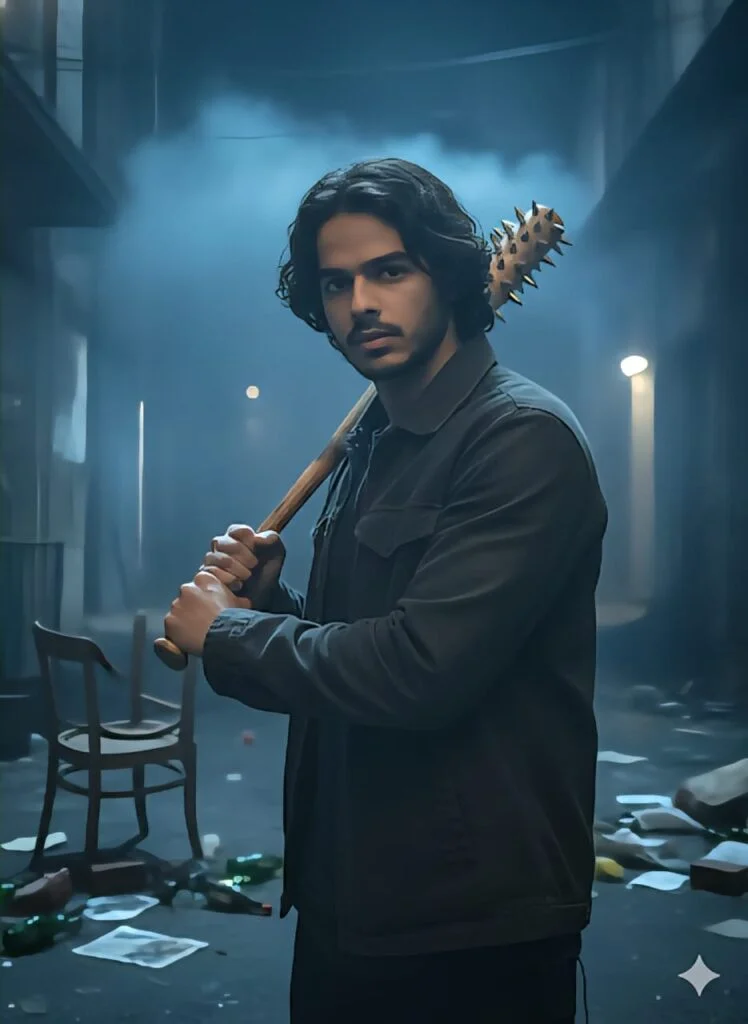
Create a realistic, cinematic night scene featuring a young man holding a spiked baseball bat in a threatening stance. He has medium-length dark hair, a serious expression, and is wearing a casual jacket over a shirt. The background is dark and slightly foggy, showing faintly visible debris like a tipped-over chair and scattered objects, adding a tense and suspenseful atmosphere. Moody, blue-toned lighting with shadows for dramatic effect. The perspective is slightly low, focusing on the character’s determined expression and the bat in the foreground.Style: Realistic, cinematic, dark thriller or horror vibe, high detail, dramatic lighting, depth of field emphasizing the character.Use my real face exactly as shown in the reference: same jawline, medium beard shape, mustache, eyebrow shape, nose structure, lips, skin tone, and overall male facial pro- portions. Keep my wavy middle-part hairstyle exactly the same. No changes, no smoothing, no feminization, no re- shaping – keep my face 100% identical to the reference photo.
Prompt 7
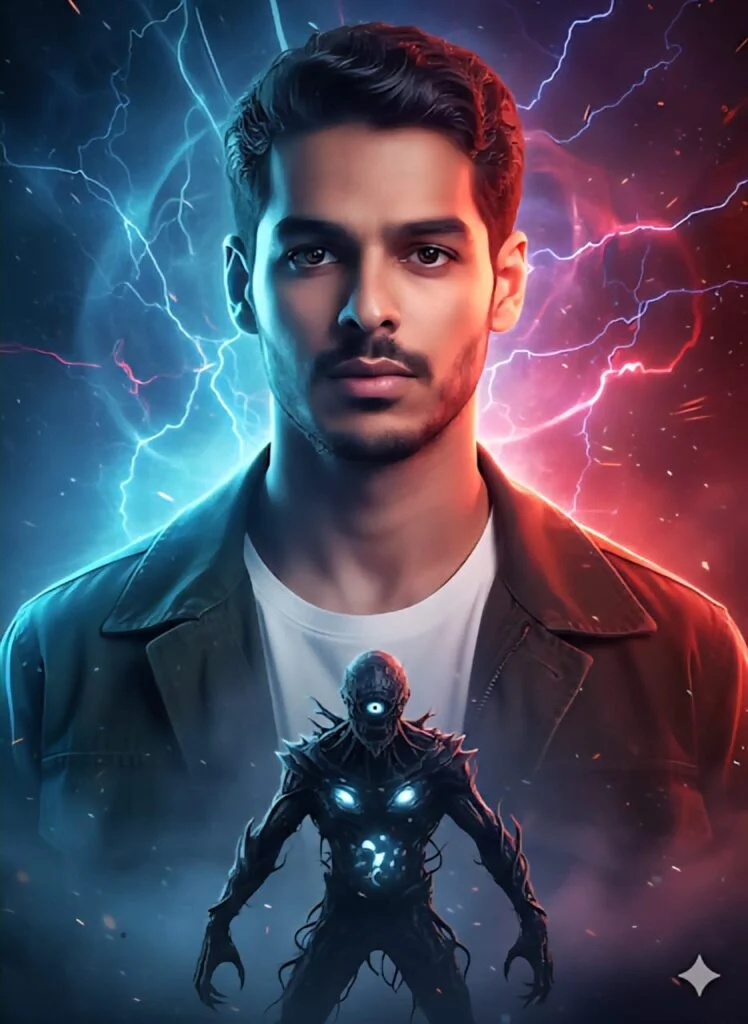
Create a hyperrealistic, high-quality cinemaric poster using the face from the reference ex- actly as is (same jawline, beard, eyebrows, nose, lips, skin tone, and wavy middle-part hairstyle) with no changes or distortions. A young slim male with serious, piercing gaze lit from both sides, wearing an olive or gray jacket over a white T-shirt. Dramatic dark fantasy/sci-fi atmosphere with intense split lighting: cool blue/cyan/purple on the left,warm red/crimson/orange on the right, fog, smoke, and plasma effects. Foreground shows a chest-level Demogorgon silhouette in battle stance with vine-like tendrils, glowing eggs, and slimy growths, creating tension and dimensional clash. Ultra-high resolution 8K, dramatic studio and rim lighting, volumetric effects, movie-poster style, conveying danger and epic intensity. Negative: no paintings, drawings, anime, cartoons, 3D renders, softskin glow, or CGI look.
How to Create These Images Using Google Gemini
Follow these simple steps:
- Open Google and Search Hr Mistry.
- Choose Generate Image
- Upload your photo (optional)
- Paste one of the prompts above
- Add custom details (lighting, mood, outfit, background)
- Click Generate
- Save and share your cinematic image
💡 Tip: The more specific your prompt is, the closer the result will be to a Hollywood-style visual.
Best Prompt Tips for Viral Results
To get the most realistic and share-worthy images:
- Always mention lighting style (cinematic, neon, moody)
- Add camera details (close-up, wide shot, shallow depth)
- Use words like Netflix style, cinematic, ultra-realistic
- Keep facial features natural and preserved
- Avoid overloading prompts—clarity matters
Why These AI Images Perform So Well on Social Media
Stranger Things–style AI images perform exceptionally well because they:
- Stop users from scrolling
- Feel familiar yet unique
- Trigger nostalgia and curiosity
- Look premium and professional
Creators are using these visuals for profile pictures, reels, thumbnails, and even digital posters.
Final Thoughts
Google Gemini has unlocked a new era of creativity. Creating Stranger Things–inspired, Hollywood-level images no longer requires editing expertise or expensive tools—just imagination and the right prompt.
If you’re ready to stand out and create visuals that feel like a Netflix original, these prompts will take your creations to peak cinematic levels. The future of image creation is here—and it’s powered by AI.